

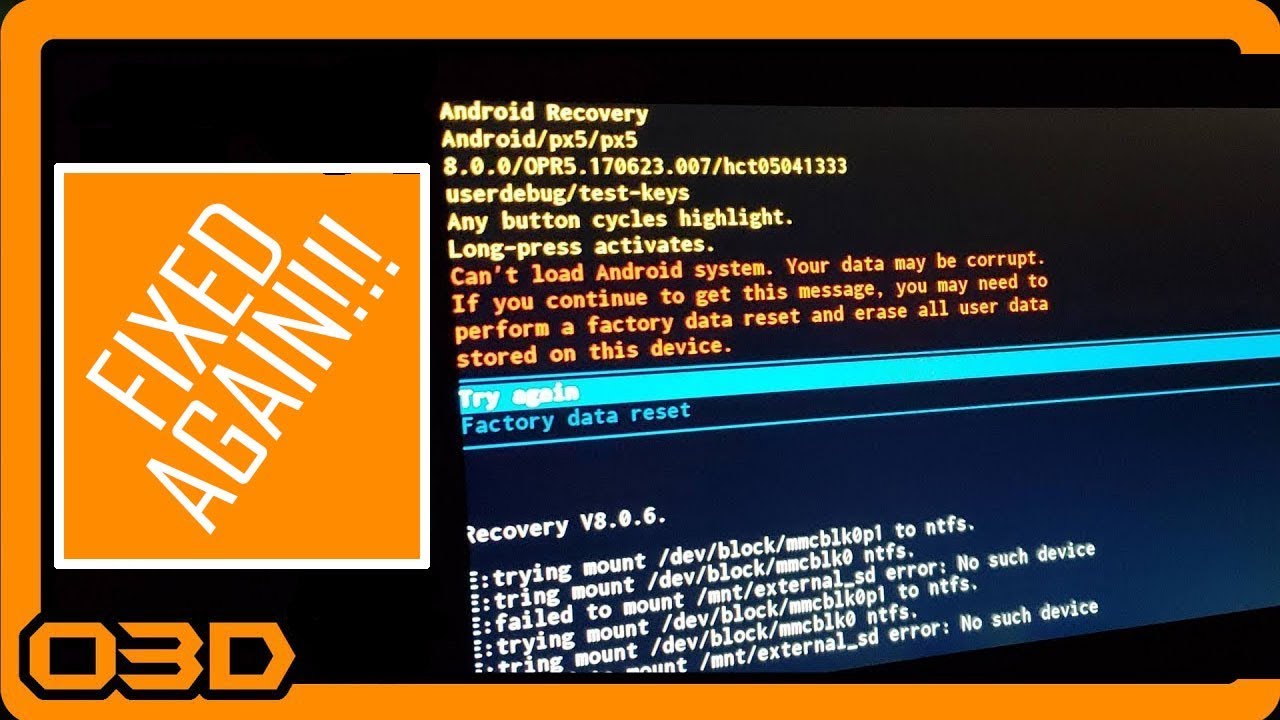
Fixed Again - Real Time! Raw Seicane Problem Solving Android Recovery Screen Fix
December 16, 2018
Learn how to quickly resolve Android recovery issues with your Jeep's head unit using this practical guide and real-time fix.
Quick Look
Overview
When you're out on the trails, the last thing you want is for your Jeep's head unit to malfunction. In this article, we’ll walk you through a simple fix for a common issue: getting stuck in Android recovery mode. This guide is based on a real-time problem-solving video and will help you troubleshoot quickly without losing your groove on your adventures.
What This Covers
This tutorial will cover:
- Common symptoms of Android recovery mode issues
- Required tools: USB keyboard and paper clip
- A step-by-step guide to resolving the issue
Step-by-Step Breakdown
- Identify the Problem: If your head unit keeps rebooting into recovery mode, don't panic. This has happened to many users, often due to a temporary glitch.
- Prepare Your Tools: Grab your USB keyboard. Having this handy can save you a lot of hassle. A paper clip may also be useful for resetting the unit if necessary.
- Connect Your Keyboard: Plug the USB keyboard into the designated USB port of your head unit. This allows you to bypass the recovery screen.
- Reset the Device: If your keyboard doesn't work immediately, try resetting the unit. After the reset, hit the 'Enter' key when prompted to try again; this usually brings the system back up.
- Verify Functionality: Check to ensure that all functionalities of the head unit, such as camera feed and radio, are operational after the fix.
Helpful Tips
To prevent these issues from cropping up in the first place:
- Keep your software updated to the latest version for better stability.
- Regularly check connections and hardware to avoid hardware-based issues.
- Consider having a backup unit if you're often off-roading and don't want to risk losing functionality.
Key Takeaways
Staying prepared for unexpected issues like the Android recovery problem is crucial for Jeep enthusiasts. With a simple USB keyboard and a quick reset, you can get back to enjoying your ride and ensure that the technology enhances your experience rather than detracts from it.