

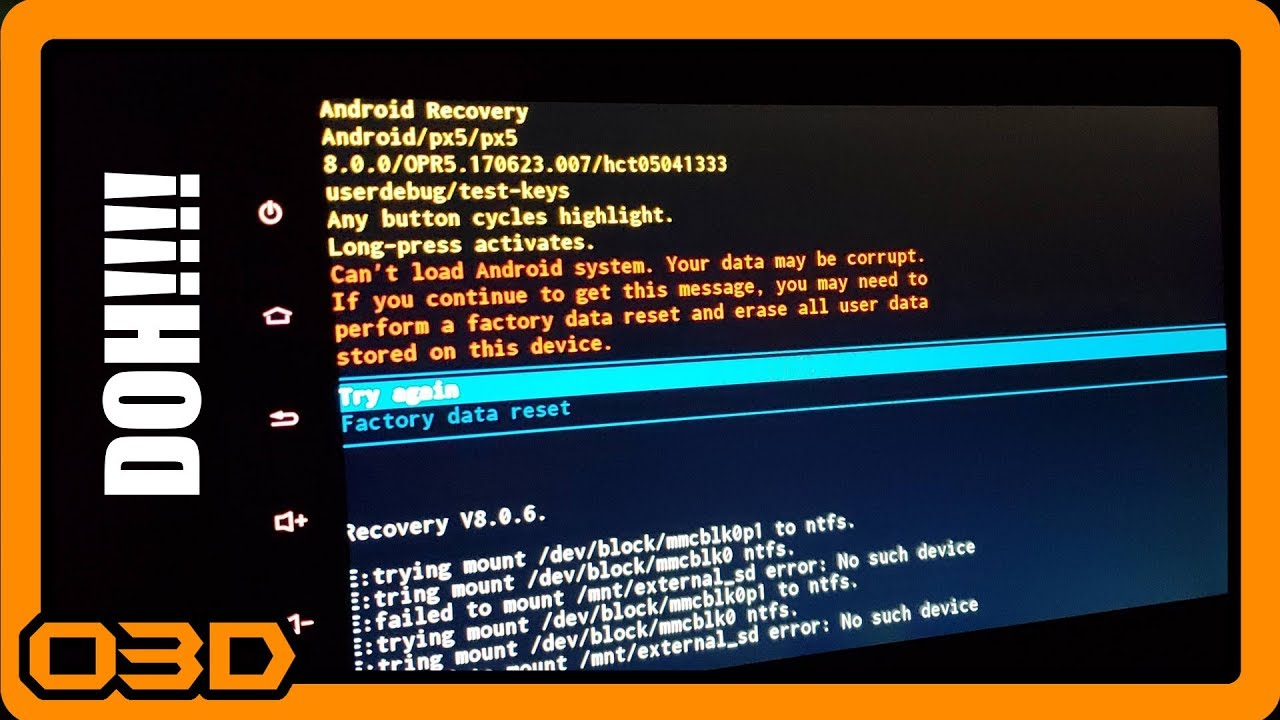
How To Fix Can't Load Android System Recovery Screen Seicane or Other Car Stereo Head Unit
October 17, 2018
Learn how to troubleshoot the 'Can't Load Android System' error on your car stereo head unit with this step-by-step guide.
Quick Look
Overview
If you've ever faced the frustrating 'Can't Load Android System' error on your car stereo head unit, you're not alone. Many users encounter this issue, often due to data corruption or software glitches. Thankfully, this article will guide you through the process of resolving this issue without having to perform a factory reset, allowing you to keep your personalized settings intact.
What This Covers
This tutorial aims to provide you with a clear and practical understanding of how to troubleshoot and resolve the 'Can't Load Android System' error. We will discuss the steps to take when faced with this problem and offer some additional tips to ensure your head unit runs smoothly.
Step-by-Step Breakdown
- Understand the Error Message: When you see the error message 'Can't Load Android System. Your data may be corrupt.', it's crucial to recognize that this is a software issue rather than a hardware failure. This means that a solution is often just a few steps away.
- Identify Button Limitations: When your head unit is stuck on this screen, you usually have two options: 'Try Again' or 'Restore to Factory Settings'. However, many car stereos utilize soft buttons that may not function if Android hasn't booted properly.
- Locate the Reset Button: Most head units have a small reset button. You can often access this button using a paperclip or a similar tool. In the video, a twist tie was cleverly used. This reset can sometimes clear minor caches and glitches.
- Use a USB Keyboard: If the soft buttons remain unresponsive post-reset, the best solution is to connect a USB keyboard to the head unit. This trick can restore functionality, allowing you to navigate beyond the error screen. Simply plug the keyboard into the USB port and then proceed to reset the unit again.
- Reboot the System: With the keyboard connected, hit the reset button for a brief period until you see it attempt to reboot. This time, your keyboard should allow you to interact with the device. Select 'Try Again'.
- Observe the Boot Process: After selecting 'Try Again', look for changes during the boot process. If you see the normal character display, your system is actively trying to recover from the error, indicating progress.
Helpful Tips
- Be Patient: Software glitches can take a moment to resolve themselves. Don’t rush the process.
- Regular Updates: Ensure your head unit's software is updated regularly to avoid these issues in the future.
- Backup Settings: If possible, back up your settings or configurations so you can restore them easily in case of a factory reset is necessary down the line.
Key Takeaways
Troubleshooting the 'Can't Load Android System' error can be straightforward if you know the right steps. By utilizing a USB keyboard and mastering the reset button, you can often bypass the error without performing a full factory reset. Keeping your head unit updated and backed up will further minimize frustration in the future. Don’t stress over this kind of glitch; with the right approach, you'll be back to enjoying your rides and tunes in no time!