

Install 01- Radio Prep - Seicane 10.1 Android 7.1.2 Stereo Head Unit in 2015 Jeep Wrangler
September 8, 2017
Step-by-step installation guide for the Seicane 10.1 Android Stereo Head Unit in your 2015 Jeep Wrangler.
Quick Look
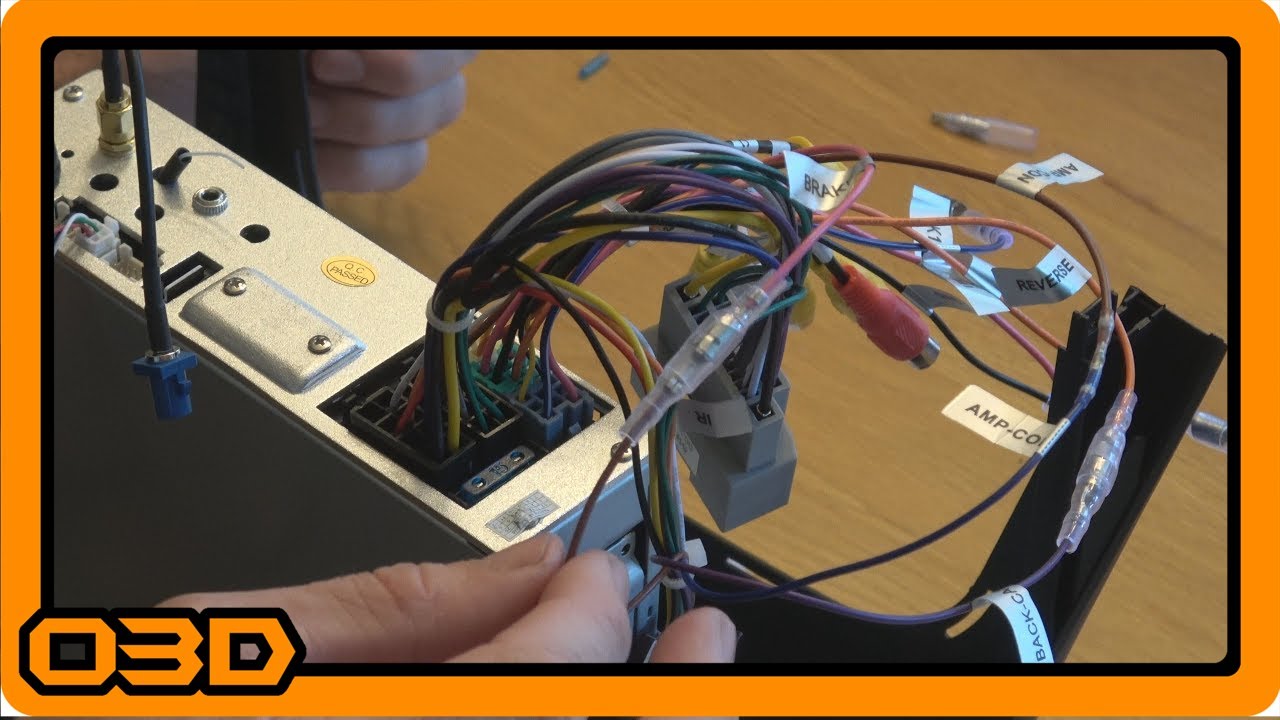
- This begins the actual installation of the Seicane 10.1 Android 7.1.2 Stereo Head Unit into OVERCLOCK3D. In this video, I just go over the radio connections and get it ready for install. Next video will show the dash disassembly and vehicle prep.
- O3DJEEPS
- Some helpful O3D Jeeps links for you:
- Some helpful O3D Jeeps links for you:
- Some helpful O3D Jeeps links for you:
Overview
Installing a new radio can transform your driving experience, especially when it comes to off-roading. The Seicane 10.1 Android Stereo Head Unit for the 2015 Jeep Wrangler offers an opportunity not just to enhance your entertainment options, but also to customize your vehicle’s dashboard to better fit your lifestyle. In this article, we’ll walk you through the installation process, focusing on the essential connections needed to get your unit up and running.
What This Covers
This tutorial will guide you through the initial setup of your Seicane head unit, including connecting the main harnesses, integrating the GPS and microphone components, and making adjustments for your Jeep’s specific audio system. We won’t be diving into advanced features like multiple camera setups just yet; this guide aims at getting your system operational so you can test it out right away.
Step-by-Step Breakdown
1. Unboxing and Initial Setup
First things first: take a moment to carefully unpack your Seicane unit. Make sure you have all necessary components, including harnesses and the GPS antenna. It’s wise to use the packaging foam to avoid any scratches on the screen while you prepare the unit.
2. Connecting the Main Harness
The installation begins with connecting the main CAN bus harness to your factory Jeep harness. This step is crucial, as it facilitates communication between your new unit and the car’s existing systems. Ensure each connector clicks securely into place.
3. USB and Audio Connections
The Seicane unit includes a USB connection, which is essential for integrating external devices. This unit has a single USB input, so consider investing in a USB hub if you plan to use multiple devices. Plug this connector into the designated slot on the back of the radio.
4. Integrating the GPS Antenna
While the head unit comes with its own GPS antenna, you might want to utilize the existing factory GPS antenna in your Jeep instead. To achieve this, you will need an adapter to account for the difference in connectors. Attach the adapter to the factory GPS antenna and connect it to the relevant port on your new head unit.
5. Connections for Audio Outputs
If you are not planning to use an external amplifier or additional audio outputs, you can skip this step. However, if you do want enhanced audio, the head unit provides several output options, including subwoofer and center channel outputs. Make sure to tailor these connections to fit your setup.
6. Microphone Setup
The included microphone is designed for compatibility with the stereo, but if your Jeep has a built-in noise-cancelling microphone, consider using that for better sound quality. For now, focus on connecting your microphone in a position that provides optimal audio pickup.
7. Final Adjustments and Testing
Before securing your unit in place, it’s a good idea to double-check all connections. Ensure everything is properly insulated and no exposed wires are left dangling. Once everything is connected, power up the ignition to test if your head unit turns on and if all functionalities are working as expected.
Helpful Tips
- Label your wires during installation to avoid confusion later.
- Consult the installation manual provided by Seicane for specific wiring details.
- If you encounter issues, troubleshoot the connections before disassembling the unit.
Key Takeaways
Installing the Seicane 10.1 Android Stereo Head Unit is a manageable project that can significantly enhance your driving experience. By following this guide, you’ll not only get your head unit operational but also position yourself to take advantage of the many features it offers down the line. With careful attention to detail and connections, your Jeep's audio upgrade will be both fulfilling and functional.