

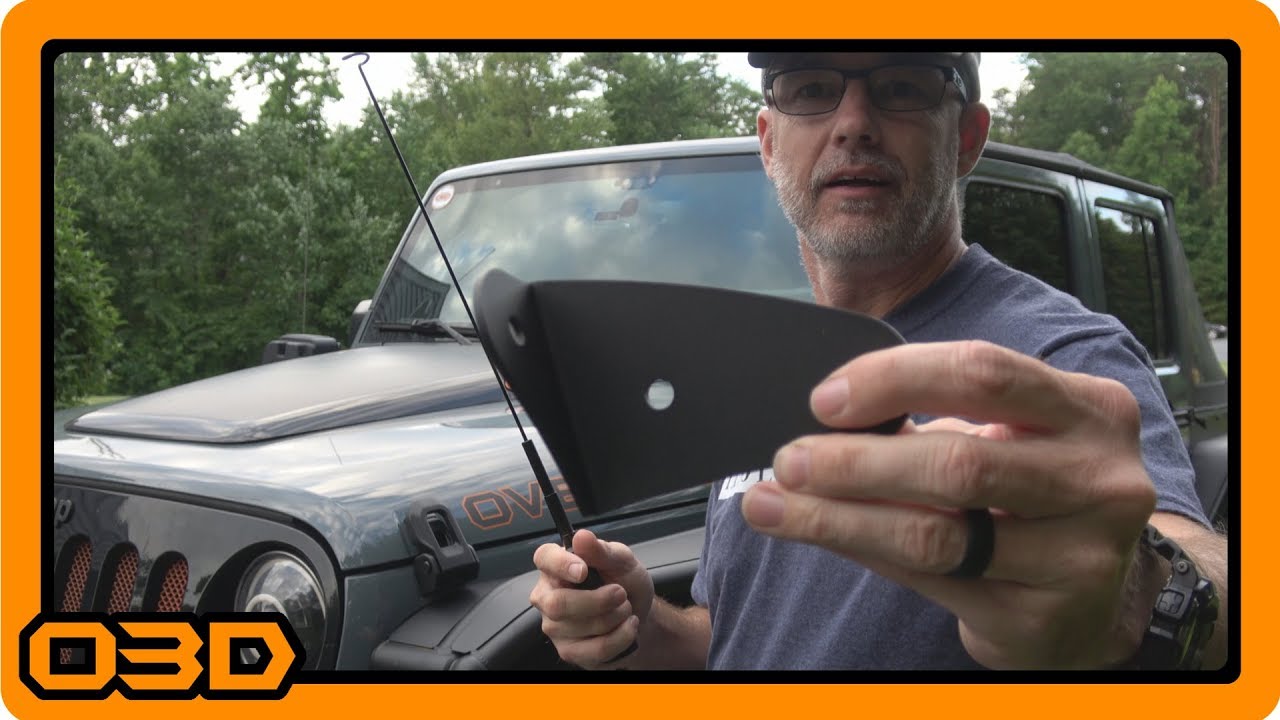
Rugged Radios Jeep JK or TJ Antenna Mount - UHF/VHF Mobile Radio Install - 2015 Jeep Wrangler
June 27, 2018
Install guide for Rugged Radios Antenna Mount on Jeep JK/TJ. Enhance your off-road communication with this detailed overview.
Quick Look
Overview
The proper communication setup while off-roading can significantly enhance your adventures. In this article, we’ll take a closer look at installing the Rugged Radios Antenna Mount on Jeep JK or TJ models, designed to securely hold a UHF/VHF mobile radio antenna. This detailed guide draws from a recent video installment, walking you step-by-step through the installation process while also highlighting practical considerations.
What This Covers
In this tutorial, we will cover:
- The essential tools and materials needed for installation
- A detailed installment guide for the Rugged Radios Antenna Mount
- Considerations for optimal location and configuration
Step-by-Step Breakdown
Follow these steps to successfully install the Rugged Radios Antenna Mount:
- Gather Your Tools and Materials: Before diving in, ensure you have the necessary items. You will need:
- Rugged Radios JK Antenna Mount
- Rubber packing sheet (for paint protection)
- Pencil or marker
- Utility knife or sharp scissors
- Socket wrench (for bolt installation)
- Prepare the Rubber Backing: The antenna mount is simply a steel bracket, so to protect your Jeep's paint, cut a rubber sheet to size. Trace the mount's backing onto the rubber sheet and use the utility knife to cut around it. Clean the edges for a neat fit.
- Mount the Bracket: Position the bracket on the driver’s side of the Jeep, aligning it with the lower factory bolts. Use these existing holes to simplify installation without excessive drilling. Place the rubber backing underneath the mount to prevent paint scratches.
- Attach the Antenna Cable: For a neat finish, run the antenna cable inside the cowl, ensuring it doesn't interfere with other components. The mount requires a 3/8 inch NMO hole, so ensure your antenna configuration fits accordingly.
- Final Checks: Before tightening everything, double-check that the antenna height clears any potential obstacles like parking garages, especially if you're also using other antennas like a CB. Make sure to keep a balance between visibility and functionality.
Helpful Tips
Here are some additional tips to ensure a successful installation:
- Take Your Time: Don’t rush the cutting of the rubber mount or the placement of the antenna. Precision matters here.
- Keep a Clean Workspace: A clutter-free work area makes the job easier and helps avoid losing small parts.
- Use Quality Tools: A good quality utility knife or scissors can save time and provide cleaner cuts for the rubber backing.
Key Takeaways
The Rugged Radios Antenna Mount serves as an essential upgrade for Jeep JK and TJ owners looking to enhance their off-road communication capabilities. With its straightforward installation process, this mount allows for the secure placement of UHF/VHF antennas, ensuring you maintain communication on and off the trail. Proper preparation and care in installation can lead to a long-lasting and vital addition to your Jeep.