

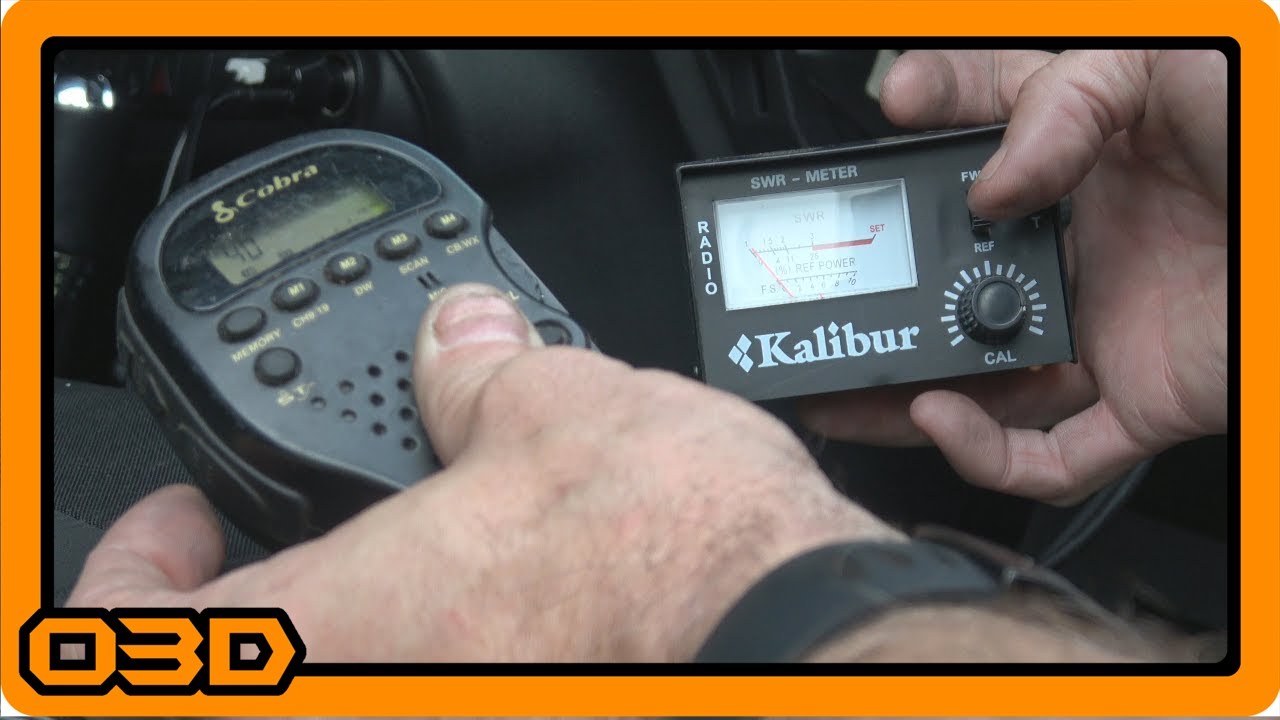
Tuning my Firestick CB Antenna with an SWR Meter - HOWTO - Jeep Wrangler
October 6, 2017
Learn how to effectively tune a Firestick CB antenna with an SWR meter for optimal performance on your Jeep adventures.
Quick Look
- I get asked the question of how to tune a CB antenna often, so I thought I would should a quick video when I re-tuned my Firestick II antenna this evening. Hope it helps. Here are some helpful links:
- Firestik 4ft Firestik ® II FS Series Tunable Tip CB Antenna
- Cobra 75WXST 40-Channel CB Radio
- Some helpful O3D Jeeps links for you:
- Some helpful O3D Jeeps links for you:
- Some helpful O3D Jeeps links for you:
Overview
Tuning a CB antenna is a crucial part of ensuring reliable communication on your off-road adventures. If you’re a Jeep enthusiast who relies on CB radios for staying connected while out on the trails, learning how to fine-tune your Firestick CB antenna with an SWR (Standing Wave Ratio) meter can significantly enhance your experience. This tutorial will guide you through the process and equip you with the knowledge to optimize your antenna setup.
What This Covers
In this article, we’ll walk you through the step-by-step procedure for tuning your Firestick CB antenna using an SWR meter. You’ll learn about the equipment needed, the tuning process itself, and troubleshooting tips for common issues that may arise during tuning.
Step-by-Step Breakdown
- Gather Your Tools: You’ll need a Firestick II CB antenna, an SWR meter, a Cobra 75WXST or similar CB radio, and basic tools to adjust the antenna.
- Check the Ground: Before you start tuning, ensure that your antenna has a solid ground connection. A poor ground can lead to inaccurate readings and hinder performance.
- Connect the SWR Meter: Disconnect your antenna from the CB radio, then connect the SWR meter in its place. This setup allows you to measure how well your antenna is transmitting.
- Tuning on Channel 1: Set your CB radio to channel 1. Switch the SWR meter to 'forward' mode, key the microphone (transmit), and adjust the knob until the needle indicates the set point. This reading reflects the SWR value.
- Tuning on Channel 40: Repeat the same steps on channel 40. Note the SWR readings on both channels; ideally, you want them to be as low as possible, ideally below 2.
- Adjust the Antenna Length: If you notice that your readings are skewed, it may indicate that your antenna is too long. In this case, adjust the antenna length accordingly. For a Firestick antenna, simply loosen the lock and shorten the tip incrementally.
- Re-check SWR: Once you've made adjustments, repeat the SWR tests on channels 1 and 40 to see if there has been an improvement in your readings.
Helpful Tips
- Whenever adjusting your antenna, always test with the cap on to get accurate results.
- If you are getting very high SWR readings (above 3), it typically indicates a grounding issue or poor antenna installation.
- It's not always necessary to check the middle channel; focusing on channels 1 and 40 is usually sufficient for tuning.
Key Takeaways
Optimizing your CB antenna tuning is an essential step in maximizing your communication capabilities while off-roading in your Jeep. By following this straightforward tuning process, you can ensure that your Firestick II antenna performs effectively, helping you stay connected during your adventures. Remember, this tuning process can greatly enhance your off-road experience, providing both safety and superior communication on the trails.